---
title: "BottomSheetScaffold"
description: "Standard bottom sheets co-exist with the screen’s main UI region and allow for simultaneously
viewing and interacting with both regions. They are commonly used to keep a feature or secondary
content visible on screen when content in main UI region is frequently scrolled or panned."
type: "component"
social_image: "/static/images/material/standard-bottom-sheet.png"
---
Composable Component
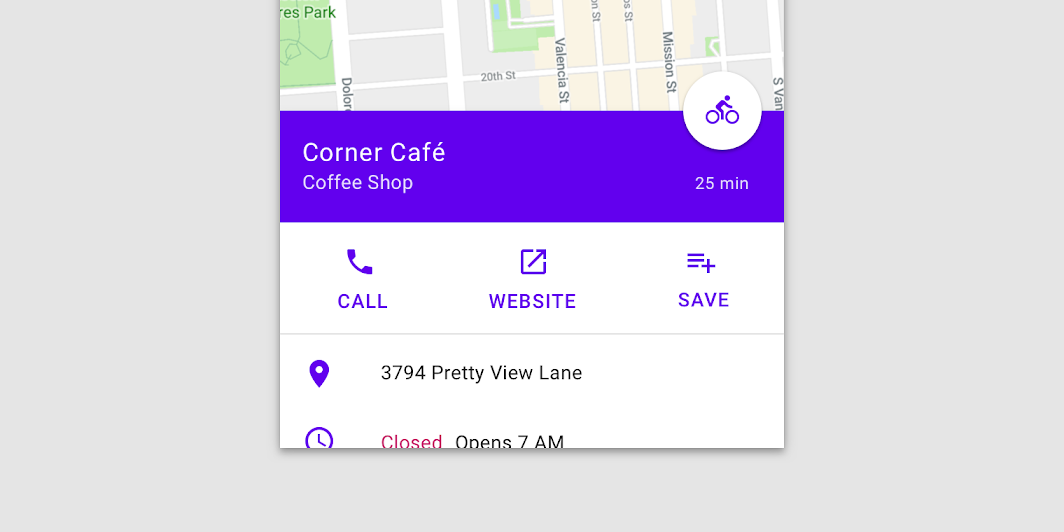
Standard bottom sheets co-exist with the screen’s main UI region and allow for simultaneously
viewing and interacting with both regions. They are commonly used to keep a feature or secondary
content visible on screen when content in main UI region is frequently scrolled or panned.
Common
```kotlin
@Composable
fun BottomSheetScaffold(
sheetContent: @Composable ColumnScope.() -> Unit,
modifier: Modifier = Modifier,
scaffoldState: BottomSheetScaffoldState = rememberBottomSheetScaffoldState(),
topBar: (@Composable () -> Unit)? = null,
snackbarHost: @Composable (SnackbarHostState) -> Unit = { SnackbarHost(it) },
floatingActionButton: (@Composable () -> Unit)? = null,
floatingActionButtonPosition: FabPosition = FabPosition.End,
sheetGesturesEnabled: Boolean = true,
sheetShape: Shape = MaterialTheme.shapes.large,
sheetElevation: Dp = BottomSheetScaffoldDefaults.SheetElevation,
sheetBackgroundColor: Color = MaterialTheme.colors.surface,
sheetContentColor: Color = contentColorFor(sheetBackgroundColor),
sheetPeekHeight: Dp = BottomSheetScaffoldDefaults.SheetPeekHeight,
backgroundColor: Color = MaterialTheme.colors.background,
contentColor: Color = contentColorFor(backgroundColor),
content: @Composable (PaddingValues) -> Unit,
)
```
#### Parameters
| | |
| --- | --- |
| sheetContent | The content of the bottom sheet. |
| modifier | An optional `Modifier` for the root of the scaffold. |
| scaffoldState | The state of the scaffold. |
| topBar | An optional top app bar. |
| snackbarHost | The composable hosting the snackbars shown inside the scaffold. |
| floatingActionButton | An optional floating action button. |
| floatingActionButtonPosition | The position of the floating action button. |
| sheetGesturesEnabled | Whether the bottom sheet can be interacted with by gestures. |
| sheetShape | The shape of the bottom sheet. |
| sheetElevation | The elevation of the bottom sheet. |
| sheetBackgroundColor | The background color of the bottom sheet. |
| sheetContentColor | The preferred content color provided by the bottom sheet to its children. Defaults to the matching content color for `sheetBackgroundColor`, or if that is not a color from the theme, this will keep the same content color set above the bottom sheet. |
| sheetPeekHeight | The height of the bottom sheet when it is collapsed. If the peek height equals the sheet's full height, the sheet will only have a collapsed state. |
| backgroundColor | The background color of the scaffold body. |
| contentColor | The color of the content in scaffold body. Defaults to either the matching content color for `backgroundColor`, or, if it is not a color from the theme, this will keep the same value set above this Surface. |
| content | The main content of the screen. You should use the provided `PaddingValues` to properly offset the content, so that it is not obstructed by the bottom sheet when collapsed. |
## Code Examples
### BottomSheetScaffoldSample
```kotlin
@Composable
@OptIn(ExperimentalMaterialApi::class)
fun BottomSheetScaffoldSample() {
val scope = rememberCoroutineScope()
val scaffoldState = rememberBottomSheetScaffoldState()
BottomSheetScaffold(
sheetContent = {
Box(Modifier.fillMaxWidth().height(128.dp), contentAlignment = Alignment.Center) {
Text("Swipe up to expand sheet")
}
Column(
Modifier.fillMaxWidth().padding(64.dp),
horizontalAlignment = Alignment.CenterHorizontally,
) {
Text("Sheet content")
Spacer(Modifier.height(20.dp))
Button(onClick = { scope.launch { scaffoldState.bottomSheetState.collapse() } }) {
Text("Click to collapse sheet")
}
}
},
scaffoldState = scaffoldState,
topBar = { TopAppBar { Text("Bottom sheet scaffold") } },
floatingActionButton = {
var clickCount by remember { mutableStateOf(0) }
FloatingActionButton(
onClick = {
// show snackbar as a suspend function
scope.launch {
scaffoldState.snackbarHostState.showSnackbar("Snackbar #${++clickCount}")
}
}
) {
Icon(Icons.Default.Favorite, contentDescription = "Localized description")
}
},
floatingActionButtonPosition = FabPosition.End,
sheetPeekHeight = 128.dp,
) { innerPadding ->
LazyColumn(contentPadding = innerPadding) {
items(100) {
Box(Modifier.fillMaxWidth().height(50.dp).background(colors[it % colors.size]))
}
}
}
}
```