---
title: "Tab"
description: "Tabs organize content across different screens, data sets, and other interactions."
type: "component"
social_image: "/static/images/material/tab.png"
---
Composable Component
Tabs organize content across different screens, data sets, and other interactions.
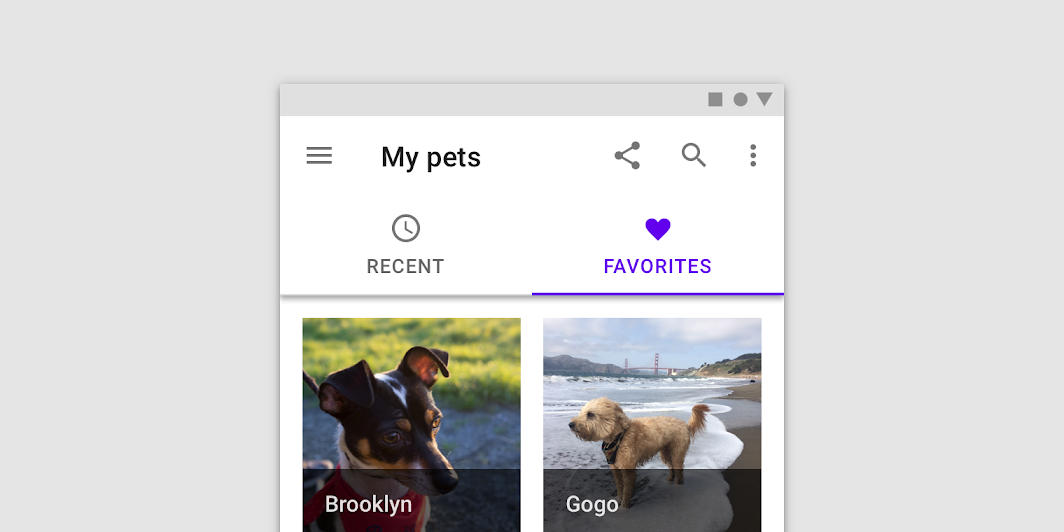
Common
```kotlin
@Composable
fun Tab(
selected: Boolean,
onClick: () -> Unit,
modifier: Modifier = Modifier,
enabled: Boolean = true,
text: @Composable (() -> Unit)? = null,
icon: @Composable (() -> Unit)? = null,
interactionSource: MutableInteractionSource? = null,
selectedContentColor: Color = LocalContentColor.current,
unselectedContentColor: Color = selectedContentColor.copy(alpha = ContentAlpha.medium),
)
```
#### Parameters
| | |
| --- | --- |
| selected | whether this tab is selected or not |
| onClick | the callback to be invoked when this tab is selected |
| modifier | optional `Modifier` for this tab |
| enabled | controls the enabled state of this tab. When `false`, this tab will not be clickable and will appear disabled to accessibility services. |
| text | the text label displayed in this tab |
| icon | the icon displayed in this tab |
| interactionSource | an optional hoisted `MutableInteractionSource` for observing and emitting `Interaction`s for this tab. You can use this to change the tab's appearance or preview the tab in different states. Note that if `null` is provided, interactions will still happen internally. |
| selectedContentColor | the color for the content of this tab when selected, and the color of the ripple. |
| unselectedContentColor | the color for the content of this tab when not selected |
Common
```kotlin
@Composable
fun Tab(
selected: Boolean,
onClick: () -> Unit,
modifier: Modifier = Modifier,
enabled: Boolean = true,
interactionSource: MutableInteractionSource? = null,
selectedContentColor: Color = LocalContentColor.current,
unselectedContentColor: Color = selectedContentColor.copy(alpha = ContentAlpha.medium),
content: @Composable ColumnScope.() -> Unit,
)
```
#### Parameters
| | |
| --- | --- |
| selected | whether this tab is selected or not |
| onClick | the callback to be invoked when this tab is selected |
| modifier | optional `Modifier` for this tab |
| enabled | controls the enabled state of this tab. When `false`, this tab will not be clickable and will appear disabled to accessibility services. |
| interactionSource | an optional hoisted `MutableInteractionSource` for observing and emitting `Interaction`s for this tab. You can use this to change the tab's appearance or preview the tab in different states. Note that if `null` is provided, interactions will still happen internally. |
| selectedContentColor | the color for the content of this tab when selected, and the color of the ripple. |
| unselectedContentColor | the color for the content of this tab when not selected |
| content | the content of this tab |
## Code Examples
### FancyTab
```kotlin
@Composable
fun FancyTab(title: String, onClick: () -> Unit, selected: Boolean) {
Tab(selected, onClick) {
Column(
Modifier.padding(10.dp).height(50.dp).fillMaxWidth(),
verticalArrangement = Arrangement.SpaceBetween,
) {
Box(
Modifier.size(10.dp)
.align(Alignment.CenterHorizontally)
.background(color = if (selected) Color.Red else Color.White)
)
Text(
text = title,
style = MaterialTheme.typography.body1,
modifier = Modifier.align(Alignment.CenterHorizontally),
)
}
}
}
```