---
title: "TriStateCheckbox"
description: "Checkboxes can have a parent-child relationship with other checkboxes. When the parent checkbox
is checked, all child checkboxes are checked. If a parent checkbox is unchecked, all child
checkboxes are unchecked. If some, but not all, child checkboxes are checked, the parent checkbox
becomes an indeterminate checkbox."
type: "component"
social_image: "/static/images/material/checkboxes.png"
---
Composable Component
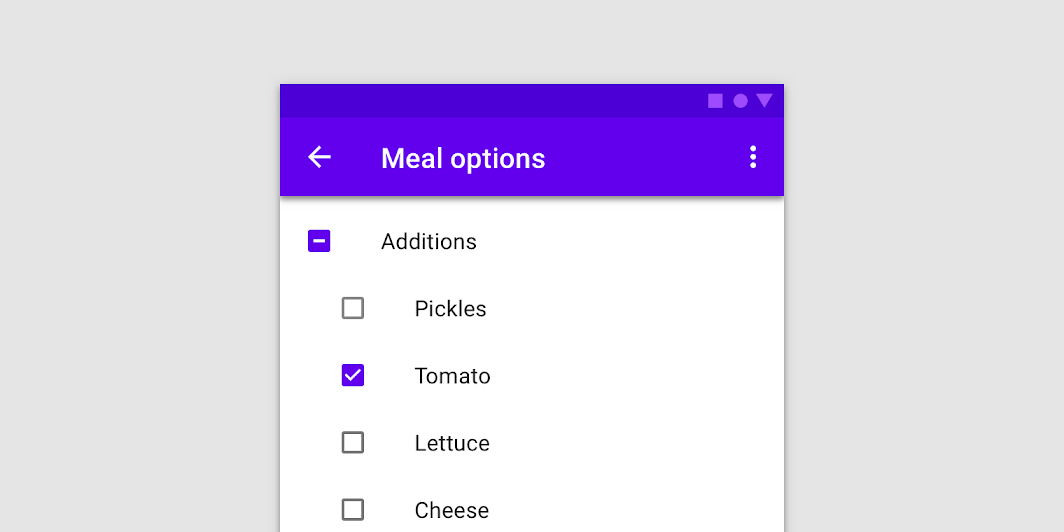
Checkboxes can have a parent-child relationship with other checkboxes. When the parent checkbox
is checked, all child checkboxes are checked. If a parent checkbox is unchecked, all child
checkboxes are unchecked. If some, but not all, child checkboxes are checked, the parent checkbox
becomes an indeterminate checkbox.
Common
```kotlin
@Composable
fun TriStateCheckbox(
state: ToggleableState,
onClick: (() -> Unit)?,
modifier: Modifier = Modifier,
enabled: Boolean = true,
interactionSource: MutableInteractionSource? = null,
colors: CheckboxColors = CheckboxDefaults.colors(),
)
```
#### Parameters
| | |
| --- | --- |
| state | whether TriStateCheckbox is checked, unchecked or in indeterminate state |
| onClick | callback to be invoked when checkbox is being clicked, therefore the change of ToggleableState state is requested. If null, then this is passive and relies entirely on a higher-level component to control the state. |
| modifier | Modifier to be applied to the layout of the checkbox |
| enabled | whether the component is enabled or grayed out |
| interactionSource | an optional hoisted `MutableInteractionSource` for observing and emitting `Interaction`s for this checkbox. You can use this to change the checkbox's appearance or preview the checkbox in different states. Note that if `null` is provided, interactions will still happen internally. |
| colors | `CheckboxColors` that will be used to determine the color of the checkmark / box / border in different states. See `CheckboxDefaults.colors`. |
## Code Examples
### TriStateCheckboxSample
```kotlin
@Composable
fun TriStateCheckboxSample() {
Column {
// define dependent checkboxes states
val (state, onStateChange) = remember { mutableStateOf(true) }
val (state2, onStateChange2) = remember { mutableStateOf(true) }
// TriStateCheckbox state reflects state of dependent checkboxes
val parentState =
remember(state, state2) {
if (state && state2) ToggleableState.On
else if (!state && !state2) ToggleableState.Off else ToggleableState.Indeterminate
}
// click on TriStateCheckbox can set state for dependent checkboxes
val onParentClick = {
val s = parentState != ToggleableState.On
onStateChange(s)
onStateChange2(s)
}
TriStateCheckbox(
state = parentState,
onClick = onParentClick,
colors = CheckboxDefaults.colors(checkedColor = MaterialTheme.colors.primary),
)
Spacer(Modifier.size(25.dp))
Column(Modifier.padding(10.dp, 0.dp, 0.dp, 0.dp)) {
Checkbox(state, onStateChange)
Spacer(Modifier.size(25.dp))
Checkbox(state2, onStateChange2)
}
}
}
```