---
title: "FilledTonalIconToggleButton"
description: "Icon buttons help people take supplementary actions with a single tap. They’re used when a
compact button is required, such as in a toolbar or image list."
type: "component"
social_image: "/static/images/material3/filled-tonal-icon-toggle-button.png"
---
Composable Component
Icon buttons help people take supplementary actions with a single tap. They’re used when a
compact button is required, such as in a toolbar or image list.
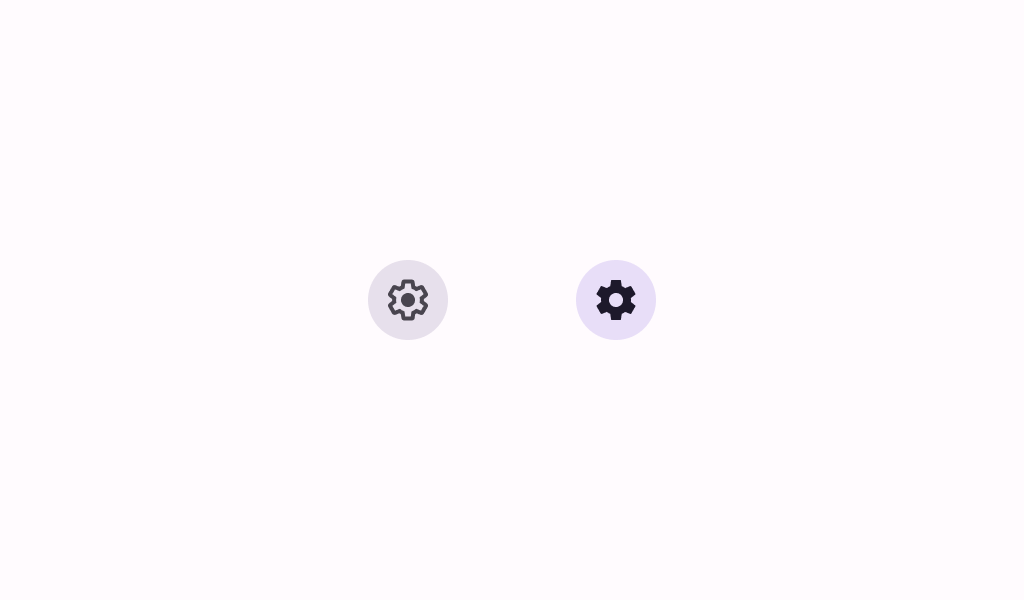
Common
```kotlin
@Composable
fun FilledTonalIconToggleButton(
checked: Boolean,
onCheckedChange: (Boolean) -> Unit,
modifier: Modifier = Modifier,
enabled: Boolean = true,
shape: Shape = IconButtonDefaults.filledShape,
colors: IconToggleButtonColors = IconButtonDefaults.filledTonalIconToggleButtonColors(),
interactionSource: MutableInteractionSource? = null,
content: @Composable () -> Unit,
) =
SurfaceIconToggleButton(
checked = checked,
onCheckedChange = onCheckedChange,
modifier = modifier.semantics { role = Role.Checkbox },
enabled = enabled,
shape = shape,
colors = colors,
border = null,
interactionSource = interactionSource,
content = content,
)
```
#### Parameters
| | |
| --- | --- |
| checked | whether this icon button is toggled on or off |
| onCheckedChange | called when this icon button is clicked |
| modifier | the `Modifier` to be applied to this icon button |
| enabled | controls the enabled state of this icon button. When `false`, this component will not respond to user input, and it will appear visually disabled and disabled to accessibility services. |
| shape | defines the shape of this icon button's container |
| colors | `IconToggleButtonColors` that will be used to resolve the colors used for this icon button in different states. See `IconButtonDefaults.filledIconToggleButtonColors`. |
| interactionSource | an optional hoisted `MutableInteractionSource` for observing and emitting `Interaction`s for this icon button. You can use this to change the icon button's appearance or preview the icon button in different states. Note that if `null` is provided, interactions will still happen internally. |
| content | the content of this icon button, typically an `Icon` |
Common
```kotlin
@ExperimentalMaterial3ExpressiveApi
@Composable
fun FilledTonalIconToggleButton(
checked: Boolean,
onCheckedChange: (Boolean) -> Unit,
shapes: IconToggleButtonShapes,
modifier: Modifier = Modifier,
enabled: Boolean = true,
colors: IconToggleButtonColors = IconButtonDefaults.filledTonalIconToggleButtonColors(),
interactionSource: MutableInteractionSource? = null,
content: @Composable () -> Unit,
) =
SurfaceIconToggleButton(
checked = checked,
onCheckedChange = onCheckedChange,
modifier = modifier.semantics { role = Role.Checkbox },
enabled = enabled,
shapes = shapes,
colors = colors,
border = null,
interactionSource = interactionSource,
content = content,
)
```
#### Parameters
| | |
| --- | --- |
| checked | whether this icon button is toggled on or off |
| onCheckedChange | called when this icon button is clicked |
| shapes | the `IconButtonShapes` that the icon button will morph between depending on the user's interaction with the icon button. |
| modifier | the `Modifier` to be applied to this icon button |
| enabled | controls the enabled state of this icon button. When `false`, this component will not respond to user input, and it will appear visually disabled and disabled to accessibility services. |
| colors | `IconToggleButtonColors` that will be used to resolve the colors used for this icon button in different states. See `IconButtonDefaults.filledIconToggleButtonColors`. |
| interactionSource | an optional hoisted `MutableInteractionSource` for observing and emitting `Interaction`s for this icon button. You can use this to change the icon button's appearance or preview the icon button in different states. Note that if `null` is provided, interactions will still happen internally. |
| content | the content of this icon button, typically an `Icon` |
## Code Examples
### FilledTonalIconToggleButtonSample
```kotlin
@OptIn(ExperimentalMaterial3Api::class)
@Preview
@Composable
fun FilledTonalIconToggleButtonSample() {
var checked by remember { mutableStateOf(false) }
val description = "Localized description"
// Icon button should have a tooltip associated with it for a11y.
TooltipBox(
positionProvider =
TooltipDefaults.rememberTooltipPositionProvider(TooltipAnchorPosition.Above),
tooltip = { PlainTooltip { Text(description) } },
state = rememberTooltipState(),
) {
FilledTonalIconToggleButton(checked = checked, onCheckedChange = { checked = it }) {
if (checked) {
Icon(Icons.Filled.Lock, contentDescription = description)
} else {
Icon(Icons.Outlined.Lock, contentDescription = description)
}
}
}
}
```
### FilledTonalIconToggleButtonWithAnimatedShapeSample
```kotlin
@OptIn(ExperimentalMaterial3ExpressiveApi::class, ExperimentalMaterial3Api::class)
@Preview
@Composable
fun FilledTonalIconToggleButtonWithAnimatedShapeSample() {
var checked by remember { mutableStateOf(false) }
val description = "Localized description"
// Icon button should have a tooltip associated with it for a11y.
TooltipBox(
positionProvider =
TooltipDefaults.rememberTooltipPositionProvider(TooltipAnchorPosition.Above),
tooltip = { PlainTooltip { Text(description) } },
state = rememberTooltipState(),
) {
FilledTonalIconToggleButton(
checked = checked,
onCheckedChange = { checked = it },
shapes = IconButtonDefaults.toggleableShapes(),
) {
if (checked) {
Icon(Icons.Filled.Lock, contentDescription = description)
} else {
Icon(Icons.Outlined.Lock, contentDescription = description)
}
}
}
}
```