Composable Component
Navigation rails provide access to primary destinations in apps when using tablet and desktop screens.
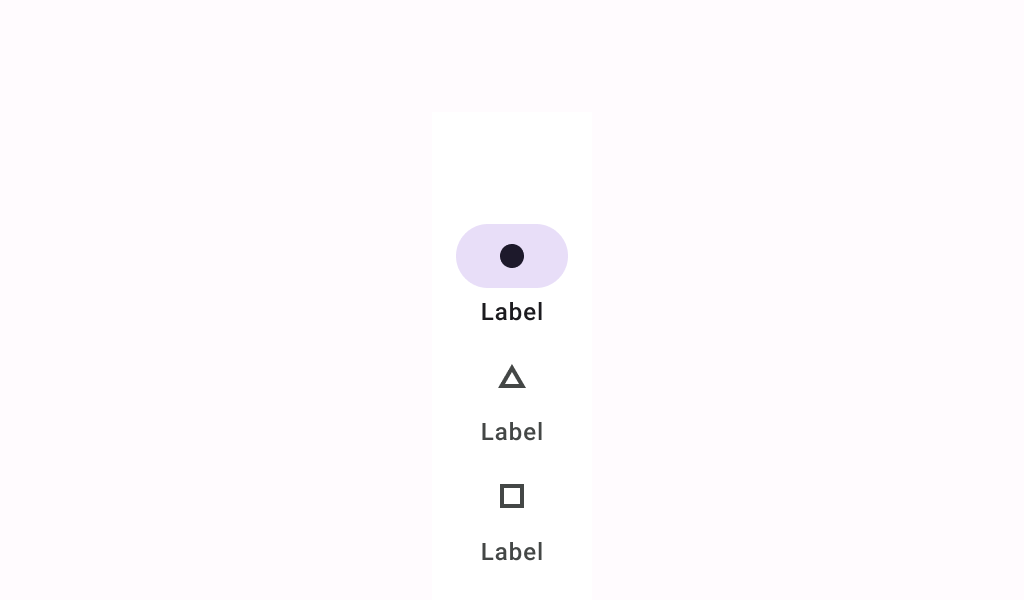
Common
@Composable
fun NavigationRail(
    modifier: Modifier = Modifier,
    containerColor: Color = NavigationRailDefaults.ContainerColor,
    contentColor: Color = contentColorFor(containerColor),
    header: @Composable (ColumnScope.() -> Unit)? = null,
    windowInsets: WindowInsets = NavigationRailDefaults.windowInsets,
    content: @Composable ColumnScope.() -> Unit,
)
Parameters
| modifier | the Modifier to be applied to this navigation rail |
| containerColor | the color used for the background of this navigation rail. Use Color.Transparent to have no color. |
| contentColor | the preferred color for content inside this navigation rail. Defaults to either the matching content color for containerColor, or to the current LocalContentColor if containerColor is not a color from the theme. |
| header | optional header that may hold a FloatingActionButton or a logo |
| windowInsets | a window insets of the navigation rail. |
| content | the content of this navigation rail, typically 3-7 NavigationRailItems |
Code Examples
NavigationRailSample
@Preview
@Composable
fun NavigationRailSample() {
    var selectedItem by remember { mutableIntStateOf(0) }
    val items = listOf("Home", "Search", "Settings")
    val selectedIcons = listOf(Icons.Filled.Home, Icons.Filled.Favorite, Icons.Filled.Star)
    val unselectedIcons =
        listOf(Icons.Outlined.Home, Icons.Outlined.FavoriteBorder, Icons.Outlined.StarBorder)
    NavigationRail {
        items.forEachIndexed { index, item ->
            NavigationRailItem(
                icon = {
                    Icon(
                        if (selectedItem == index) selectedIcons[index] else unselectedIcons[index],
                        contentDescription = item,
                    )
                },
                label = { Text(item) },
                selected = selectedItem == index,
                onClick = { selectedItem = index },
            )
        }
    }
}