import androidx.compose.animation.AnimatedVisibility
import androidx.compose.animation.core.Spring
import androidx.compose.animation.core.VisibilityThreshold
import androidx.compose.animation.core.animateFloatAsState
import androidx.compose.animation.core.spring
import androidx.compose.animation.expandVertically
import androidx.compose.animation.shrinkVertically
import androidx.compose.foundation.Image
import androidx.compose.foundation.background
import androidx.compose.foundation.clickable
import androidx.compose.foundation.layout.Arrangement
import androidx.compose.foundation.layout.Box
import androidx.compose.foundation.layout.Column
import androidx.compose.foundation.layout.Row
import androidx.compose.foundation.layout.fillMaxWidth
import androidx.compose.foundation.layout.height
import androidx.compose.foundation.layout.padding
import androidx.compose.foundation.layout.size
import androidx.compose.foundation.lazy.LazyColumn
import androidx.compose.material.icons.Icons
import androidx.compose.material.icons.filled.ChevronRight
import androidx.compose.material3.MaterialTheme
import androidx.compose.material3.Text
import androidx.compose.runtime.Composable
import androidx.compose.runtime.getValue
import androidx.compose.runtime.mutableStateOf
import androidx.compose.runtime.remember
import androidx.compose.runtime.setValue
import androidx.compose.ui.Modifier
import androidx.compose.ui.draw.clip
import androidx.compose.ui.draw.rotate
import androidx.compose.ui.graphics.Color
import androidx.compose.ui.graphics.ColorFilter
import androidx.compose.ui.unit.IntSize
import androidx.compose.ui.unit.dp

@Composable
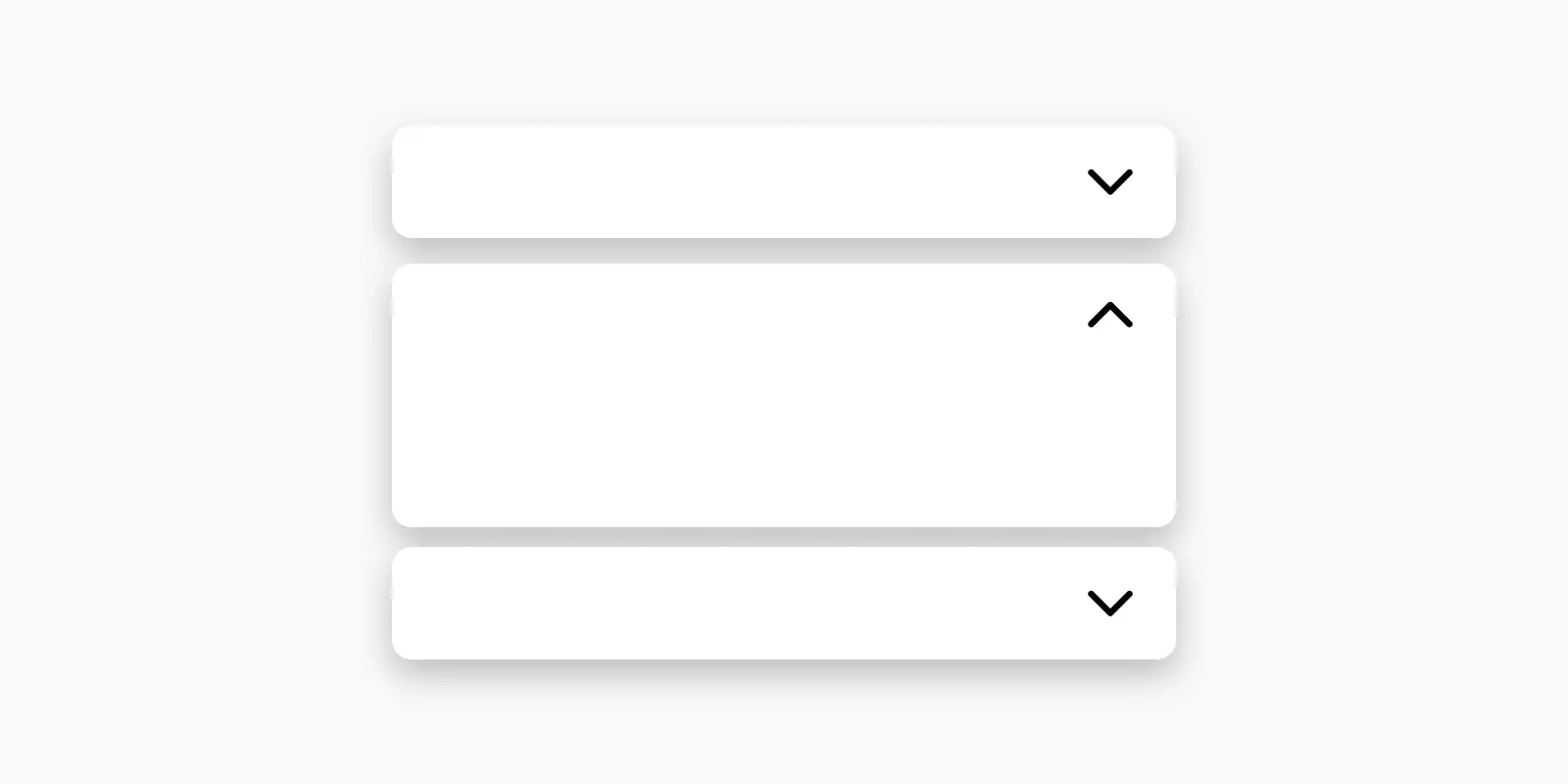
fun Accordion() {
    LazyColumn {
        item {
            var expanded by remember { mutableStateOf(false) }
            val degrees by animateFloatAsState(if (expanded) -90f else 90f)
            Column {
                Row(modifier = Modifier.clip(MaterialTheme.shapes.large).clickable { expanded = expanded.not() }
                    .fillMaxWidth().padding(16.dp), horizontalArrangement = Arrangement.SpaceBetween) {
                    Text("How do I create a new account?")
                    Image(
                        Icons.Filled.ChevronRight,
                        contentDescription = null,
                        modifier = Modifier.rotate(degrees),
                        colorFilter = ColorFilter.tint(Color(0xFF1F2937))
                    )
                }
                AnimatedVisibility(
                    visible = expanded,
                    enter = expandVertically(
                        spring(
                            stiffness = Spring.StiffnessMediumLow,
                            visibilityThreshold = IntSize.VisibilityThreshold
                        )
                    ),
                    exit = shrinkVertically()
                ) {
                    Box(Modifier.fillMaxWidth().padding(16.dp)) {
                        Text(
                            "To create a new account, please follow these steps:\n\n" + "1. Open the app.\n" + "2. Tap on the 'Sign Up' button.\n" + "3. Fill in your details, including your name, email address, and password.\n" + "4. Click 'Create Account'.\n" + "5. You will receive a confirmation email to verify your account. Follow the instructions in the email to complete the registration process.",
                            style = MaterialTheme.typography.bodySmall
                        )
                    }
                }
                Box(Modifier.fillMaxWidth().height(1.dp).background(Color(0xFFF3F4F6)))
            }
        }
        item {
            var expanded by remember { mutableStateOf(false) }
            val degrees by animateFloatAsState(if (expanded) -90f else 90f)
            Column {
                Row(modifier = Modifier.clip(MaterialTheme.shapes.large).clickable { expanded = expanded.not() }
                    .fillMaxWidth().padding(16.dp), horizontalArrangement = Arrangement.SpaceBetween) {
                    Text("How can I reset my password?")
                    Image(
                        Icons.Filled.ChevronRight,
                        contentDescription = null,
                        modifier = Modifier.rotate(degrees).size(24.dp)
                    )
                }
                AnimatedVisibility(
                    visible = expanded,
                    enter = expandVertically(
                        spring(
                            stiffness = Spring.StiffnessMediumLow,
                            visibilityThreshold = IntSize.VisibilityThreshold
                        )
                    ),
                    exit = shrinkVertically()
                ) {
                    Box(Modifier.fillMaxWidth().padding(16.dp)) {
                        Text(
                            "If you need to reset your password, here's what you should do:\n" + "1. On the app's login screen, tap on the 'Forgot Password?' link.\n" + "2. Enter your registered email address.\n" + "3. You will receive an email with a password reset link.\n" + "4. Click on the link and follow the instructions to reset your password.\n" + "5. Once your password is reset, you can log in with your new password.",
                            style = MaterialTheme.typography.bodySmall
                        )
                    }
                }
                Box(Modifier.fillMaxWidth().height(1.dp).background(Color(0xFFF3F4F6)))
            }
        }
        item {
            var expanded by remember { mutableStateOf(false) }
            val degrees by animateFloatAsState(if (expanded) -90f else 90f)
            Column {
                Row(modifier = Modifier.clip(MaterialTheme.shapes.large).clickable { expanded = expanded.not() }
                    .fillMaxWidth().padding(16.dp), horizontalArrangement = Arrangement.SpaceBetween) {
                    Text("How do I update my profile information?")
                    Image(
                        Icons.Filled.ChevronRight,
                        contentDescription = null,
                        modifier = Modifier.rotate(degrees).size(24.dp)
                    )
                }
                AnimatedVisibility(
                    visible = expanded,
                    enter = expandVertically(
                        spring(
                            stiffness = Spring.StiffnessMediumLow,
                            visibilityThreshold = IntSize.VisibilityThreshold
                        )
                    ),
                    exit = shrinkVertically()
                ) {
                    Box(Modifier.fillMaxWidth().padding(16.dp)) {
                        Text(
                            "To update your profile information, please follow these steps:\n" + "1. Log in to your account.\n" + "2. Go to the 'Profile' section of the app.\n" + "3. Click on the 'Edit Profile' button.\n" + "4. Update the information you want to change, such as your name, profile picture, or contact details.\n" + "5. Click 'Save' to save your changes.\n" + "Your profile information will be updated accordingly.",
                            style = MaterialTheme.typography.bodySmall
                        )
                    }
                }
            }
        }
    }
}