
ModalBottomSheetLayout

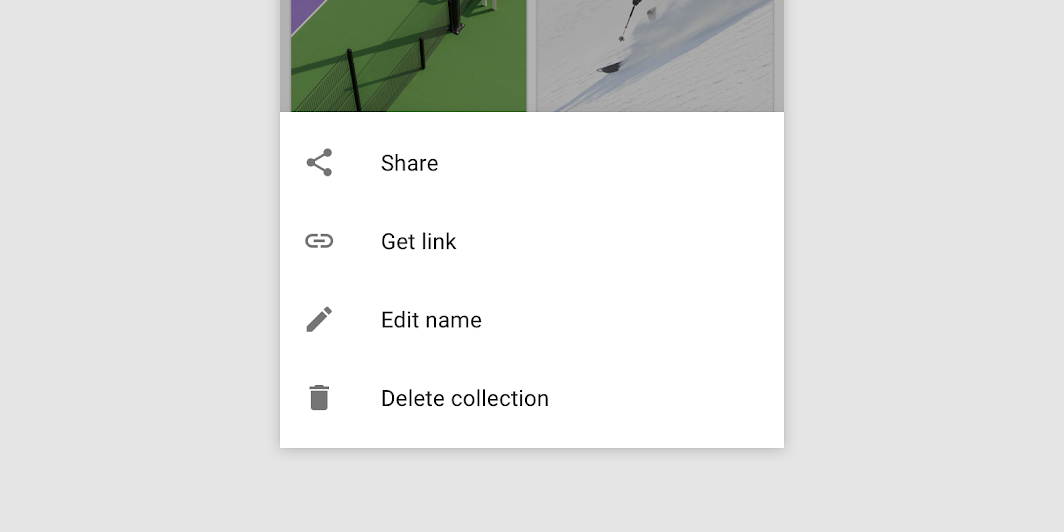
Modal bottom sheets present a set of choices while blocking interaction with the rest of the screen. They are an alternative to inline menus and simple dialogs, providing additional room for content, iconography, and actions.

Modal bottom sheet image
Common
@Composable
fun ModalBottomSheetLayout(
    sheetContent: @Composable ColumnScope.() -> Unit,
    modifier: Modifier = Modifier,
    sheetState: ModalBottomSheetState = rememberModalBottomSheetState(Hidden),
    sheetGesturesEnabled: Boolean = true,
    sheetShape: Shape = MaterialTheme.shapes.large,
    sheetElevation: Dp = ModalBottomSheetDefaults.Elevation,
    sheetBackgroundColor: Color = MaterialTheme.colors.surface,
    sheetContentColor: Color = contentColorFor(sheetBackgroundColor),
    scrimColor: Color = ModalBottomSheetDefaults.scrimColor,
    content: @Composable () -> Unit,
)

Parameters

sheetContent The content of the bottom sheet.
modifier Optional Modifier for the entire component.
sheetState The state of the bottom sheet.
sheetGesturesEnabled Whether the bottom sheet can be interacted with by gestures.
sheetShape The shape of the bottom sheet.
sheetElevation The elevation of the bottom sheet.
sheetBackgroundColor The background color of the bottom sheet.
sheetContentColor The preferred content color provided by the bottom sheet to its children. Defaults to the matching content color for sheetBackgroundColor, or if that is not a color from the theme, this will keep the same content color set above the bottom sheet.
scrimColor The color of the scrim that is applied to the rest of the screen when the bottom sheet is visible. If the color passed is Color.Unspecified, then a scrim will no longer be applied and the bottom sheet will not block interaction with the rest of the screen when visible.
content The content of rest of the screen.

Code Examples

ModalBottomSheetSample

@Composable
@OptIn(ExperimentalMaterialApi::class)
fun ModalBottomSheetSample() {
    var skipHalfExpanded by remember { mutableStateOf(false) }
    val state =
        rememberModalBottomSheetState(
            initialValue = ModalBottomSheetValue.Hidden,
            skipHalfExpanded = skipHalfExpanded,
        )
    val scope = rememberCoroutineScope()
    ModalBottomSheetLayout(
        sheetState = state,
        sheetContent = {
            LazyColumn {
                items(50) {
                    ListItem(
                        text = { Text("Item $it") },
                        icon = {
                            Icon(
                                Icons.Default.Favorite,
                                contentDescription = "Localized description",
                            )
                        },
                    )
                }
            }
        },
    ) {
        Column(
            modifier = Modifier.fillMaxSize().padding(16.dp),
            horizontalAlignment = Alignment.CenterHorizontally,
        ) {
            Row(
                Modifier.toggleable(
                    value = skipHalfExpanded,
                    role = Role.Checkbox,
                    onValueChange = { checked -> skipHalfExpanded = checked },
                )
            ) {
                Checkbox(checked = skipHalfExpanded, onCheckedChange = null)
                Spacer(Modifier.width(16.dp))
                Text("Skip Half Expanded State")
            }
            Spacer(Modifier.height(20.dp))
            Button(onClick = { scope.launch { state.show() } }) { Text("Click to show sheet") }
        }
    }
}