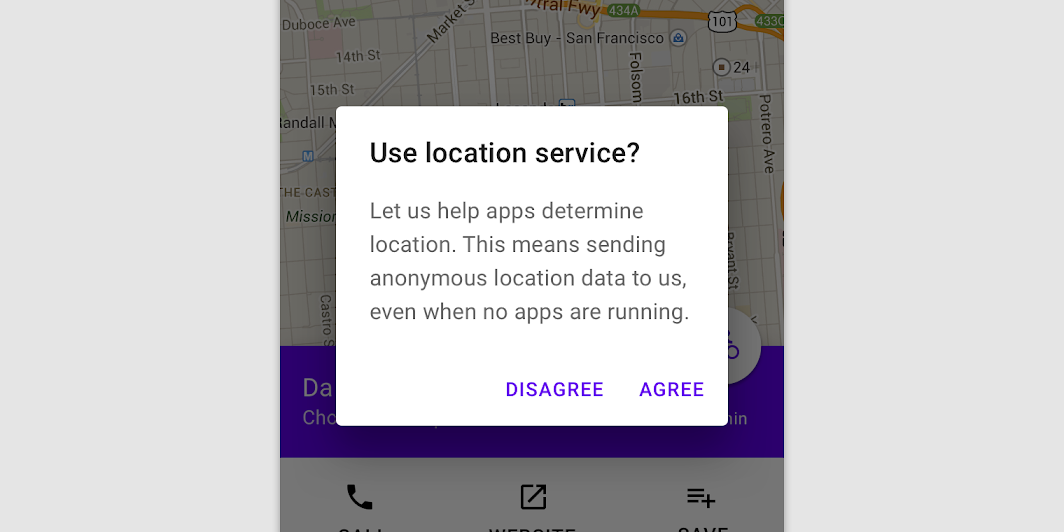
AlertDialogSample
@Sampled
@Composable
fun AlertDialogSample() {
    val openDialog = remember { mutableStateOf(true) }

    if (openDialog.value) {
        AlertDialog(
            onDismissRequest = {
                // Dismiss the dialog when the user clicks outside the dialog or on the back
                // button. If you want to disable that functionality, simply use an empty
                // onCloseRequest.
                openDialog.value = false
            },
            title = { Text(text = "Title") },
            text = {
                Text(
                    "This area typically contains the supportive text " +
                        "which presents the details regarding the Dialog's purpose."
                )
            },
            confirmButton = {
                TextButton(onClick = { openDialog.value = false }) { Text("Confirm") }
            },
            dismissButton = {
                TextButton(onClick = { openDialog.value = false }) { Text("Dismiss") }
            },
        )
    }
}
CustomAlertDialogSample
@Sampled
@Composable
fun CustomAlertDialogSample() {
    val openDialog = remember { mutableStateOf(true) }

    if (openDialog.value) {
        AlertDialog(
            onDismissRequest = { openDialog.value = false },
            title = { Text(text = "Title") },
            text = {
                Text(
                    "This area typically contains the supportive text " +
                        "which presents the details regarding the Dialog's purpose."
                )
            },
            buttons = {
                Row(
                    modifier = Modifier.padding(all = 8.dp),
                    horizontalArrangement = Arrangement.Center,
                ) {
                    Button(
                        modifier = Modifier.fillMaxWidth(),
                        onClick = { openDialog.value = false },
                    ) {
                        Text("Dismiss")
                    }
                }
            },
        )
    }
}