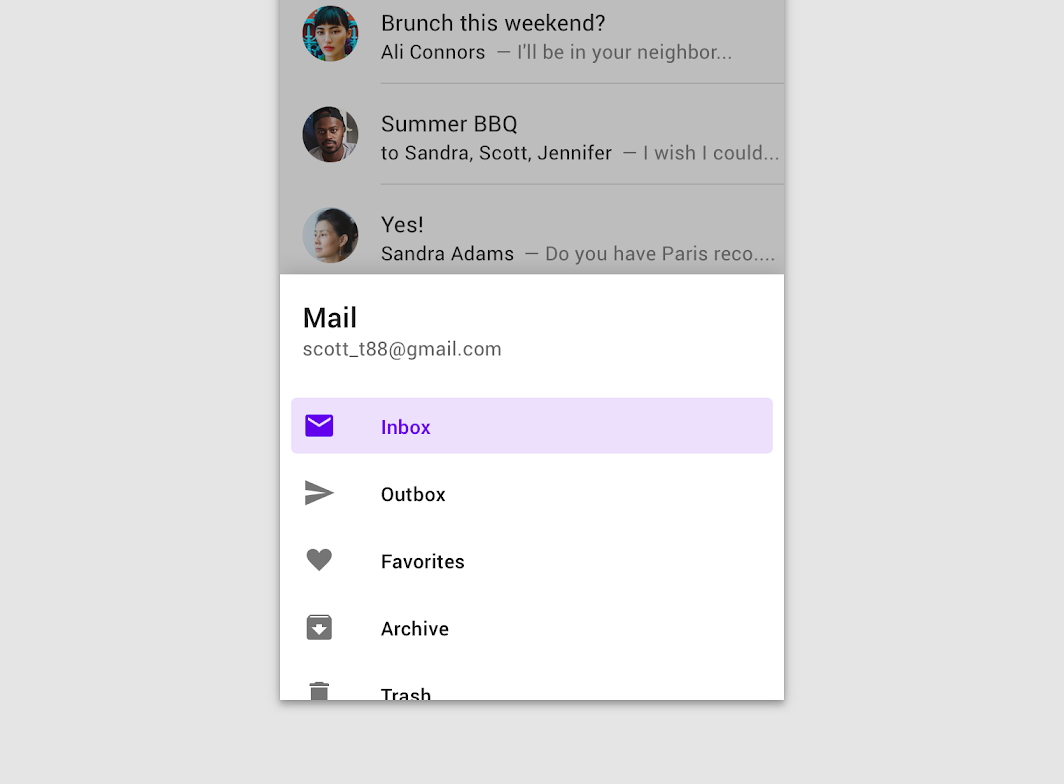
Material Design bottom navigation drawer Bottom navigation drawers are modal drawers that are anchored to the bottom of the screen instead of the left or right edge.
BottomDrawerSample
@Sampled
@Composable
@OptIn(ExperimentalMaterialApi::class)
fun BottomDrawerSample() {
    val (gesturesEnabled, toggleGesturesEnabled) = remember { mutableStateOf(true) }
    val scope = rememberCoroutineScope()
    Column {
        Row(
            modifier =
                Modifier.fillMaxWidth()
                    .toggleable(value = gesturesEnabled, onValueChange = toggleGesturesEnabled)
        ) {
            Checkbox(gesturesEnabled, null)
            Text(text = if (gesturesEnabled) "Gestures Enabled" else "Gestures Disabled")
        }
        val drawerState = rememberBottomDrawerState(BottomDrawerValue.Closed)
        BottomDrawer(
            gesturesEnabled = gesturesEnabled,
            drawerState = drawerState,
            drawerContent = {
                Button(
                    modifier = Modifier.align(Alignment.CenterHorizontally).padding(top = 16.dp),
                    onClick = { scope.launch { drawerState.close() } },
                    content = { Text("Close Drawer") },
                )
                LazyColumn {
                    items(25) {
                        ListItem(
                            text = { Text("Item $it") },
                            icon = {
                                Icon(
                                    Icons.Default.Favorite,
                                    contentDescription = "Localized description",
                                )
                            },
                        )
                    }
                }
            },
            content = {
                Column(
                    modifier = Modifier.fillMaxSize().padding(16.dp),
                    horizontalAlignment = Alignment.CenterHorizontally,
                ) {
                    val openText = if (gesturesEnabled) "▲▲▲ Pull up ▲▲▲" else "Click the button!"
                    Text(text = if (drawerState.isClosed) openText else "▼▼▼ Drag down ▼▼▼")
                    Spacer(Modifier.height(20.dp))
                    Button(onClick = { scope.launch { drawerState.open() } }) {
                        Text("Click to open")
                    }
                }
            },
        )
    }
}