
RadioButton

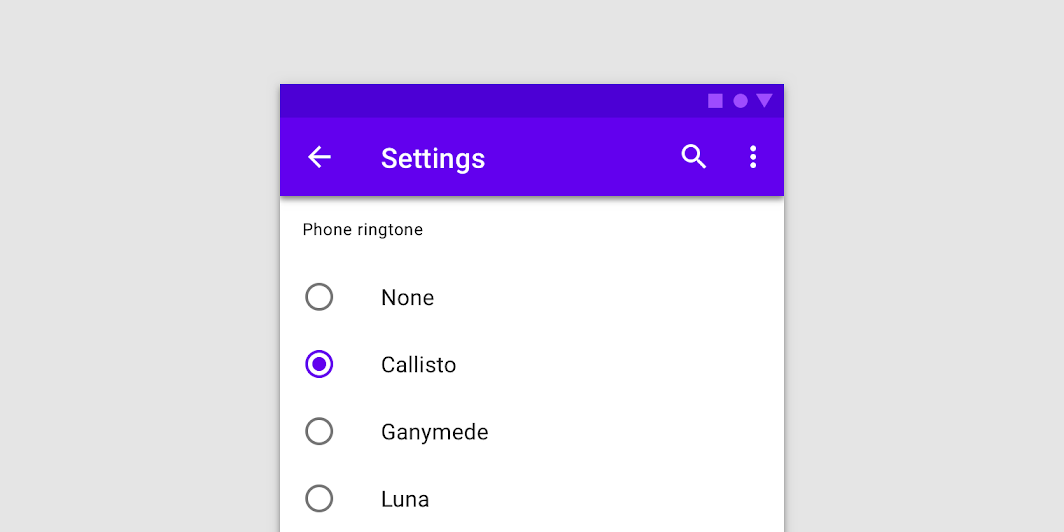
Radio buttons allow users to select one option from a set.

Radio buttons image
Common
@Composable
fun RadioButton(
    selected: Boolean,
    onClick: (() -> Unit)?,
    modifier: Modifier = Modifier,
    enabled: Boolean = true,
    interactionSource: MutableInteractionSource? = null,
    colors: RadioButtonColors = RadioButtonDefaults.colors(),
)

Parameters

selected whether this radio button is selected or not
onClick callback to be invoked when the RadioButton is clicked. If null, then this RadioButton will not handle input events, and only act as a visual indicator of selected state
modifier Modifier to be applied to the radio button
enabled Controls the enabled state of the RadioButton. When false, this button will not be selectable and appears disabled
interactionSource an optional hoisted MutableInteractionSource for observing and emitting Interactions for this radio button. You can use this to change the radio button's appearance or preview the radio button in different states. Note that if null is provided, interactions will still happen internally.
colors RadioButtonColors that will be used to resolve the color used for this RadioButton in different states. See RadioButtonDefaults.colors.

Code Examples

RadioButtonSample

@Composable
fun RadioButtonSample() {
    // We have two radio buttons and only one can be selected
    var state by remember { mutableStateOf(true) }
    // Note that Modifier.selectableGroup() is essential to ensure correct accessibility behavior
    Row(Modifier.selectableGroup()) {
        RadioButton(selected = state, onClick = { state = true })
        RadioButton(selected = !state, onClick = { state = false })
    }
}

RadioGroupSample

@Composable
fun RadioGroupSample() {
    val radioOptions = listOf("Calls", "Missed", "Friends")
    val (selectedOption, onOptionSelected) = remember { mutableStateOf(radioOptions[0]) }
    // Note that Modifier.selectableGroup() is essential to ensure correct accessibility behavior
    Column(Modifier.selectableGroup()) {
        radioOptions.forEach { text ->
            Row(
                Modifier.fillMaxWidth()
                    .height(56.dp)
                    .selectable(
                        selected = (text == selectedOption),
                        onClick = { onOptionSelected(text) },
                        role = Role.RadioButton,
                    )
                    .padding(horizontal = 16.dp),
                verticalAlignment = Alignment.CenterVertically,
            ) {
                RadioButton(
                    selected = (text == selectedOption),
                    onClick = null, // null recommended for accessibility with screenreaders
                )
                Text(
                    text = text,
                    style = MaterialTheme.typography.body1.merge(),
                    modifier = Modifier.padding(start = 16.dp),
                )
            }
        }
    }
}