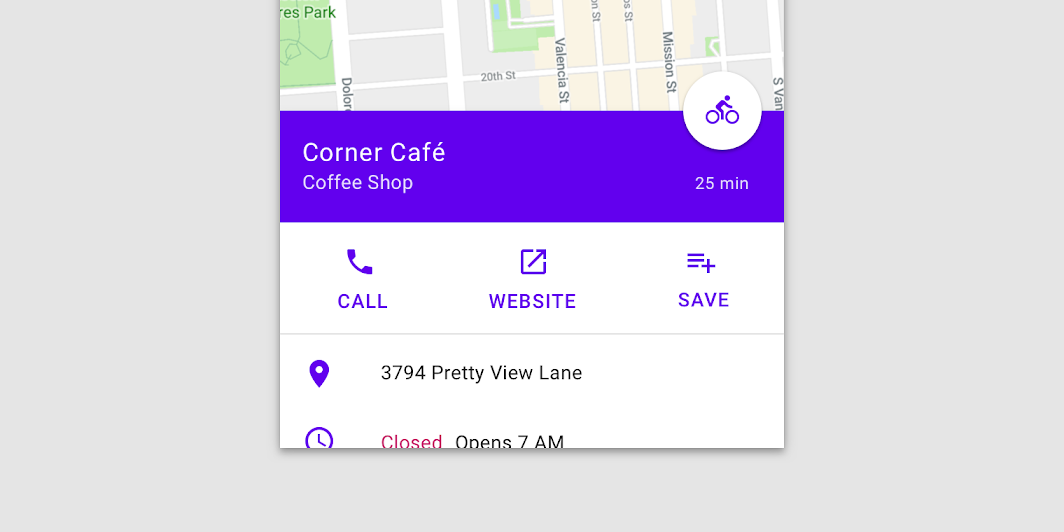
Material Design standard bottom sheet Standard bottom sheets co-exist with the screen’s main UI region and allow for simultaneously viewing and interacting with both regions.
BottomSheetScaffoldSample
@Sampled
@Composable
@OptIn(ExperimentalMaterialApi::class)
fun BottomSheetScaffoldSample() {
    val scope = rememberCoroutineScope()
    val scaffoldState = rememberBottomSheetScaffoldState()
    BottomSheetScaffold(
        sheetContent = {
            Box(Modifier.fillMaxWidth().height(128.dp), contentAlignment = Alignment.Center) {
                Text("Swipe up to expand sheet")
            }
            Column(
                Modifier.fillMaxWidth().padding(64.dp),
                horizontalAlignment = Alignment.CenterHorizontally,
            ) {
                Text("Sheet content")
                Spacer(Modifier.height(20.dp))
                Button(onClick = { scope.launch { scaffoldState.bottomSheetState.collapse() } }) {
                    Text("Click to collapse sheet")
                }
            }
        },
        scaffoldState = scaffoldState,
        topBar = { TopAppBar { Text("Bottom sheet scaffold") } },
        floatingActionButton = {
            var clickCount by remember { mutableStateOf(0) }
            FloatingActionButton(
                onClick = {
                    // show snackbar as a suspend function
                    scope.launch {
                        scaffoldState.snackbarHostState.showSnackbar("Snackbar #${++clickCount}")
                    }
                }
            ) {
                Icon(Icons.Default.Favorite, contentDescription = "Localized description")
            }
        },
        floatingActionButtonPosition = FabPosition.End,
        sheetPeekHeight = 128.dp,
    ) { innerPadding ->
        LazyColumn(contentPadding = innerPadding) {
            items(100) {
                Box(Modifier.fillMaxWidth().height(50.dp).background(colors[it % colors.size]))
            }
        }
    }
}