
AppBarWithSearch

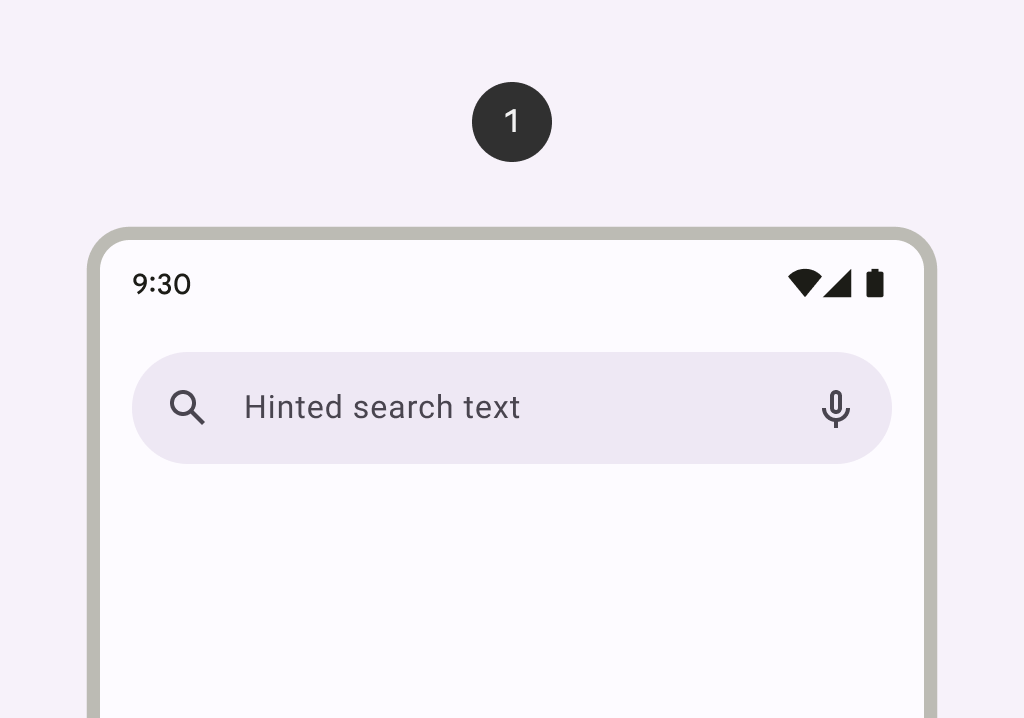
A search bar represents a field that allows users to enter a keyword or phrase and get relevant information. It can be used as a way to navigate through an app via search queries.

Search bar image
Common
@ExperimentalMaterial3Api
@Composable
fun AppBarWithSearch(
    state: SearchBarState,
    inputField: @Composable () -> Unit,
    modifier: Modifier = Modifier,
    navigationIcon: @Composable (() -> Unit)? = null,
    actions: @Composable (RowScope.() -> Unit)? = null,
    shape: Shape = SearchBarDefaults.inputFieldShape,
    colors: AppBarWithSearchColors = SearchBarDefaults.appBarWithSearchColors(),
    tonalElevation: Dp = SearchBarDefaults.TonalElevation,
    shadowElevation: Dp = SearchBarDefaults.ShadowElevation,
    contentPadding: PaddingValues = SearchBarDefaults.AppBarContentPadding,
    windowInsets: WindowInsets = SearchBarDefaults.windowInsets,
    scrollBehavior: SearchBarScrollBehavior? = null,
)

Parameters

state the state of the search bar. This state should also be passed to the inputField and the expanded search bar.
inputField the input field of this search bar that allows entering a query, typically a SearchBarDefaults.InputField.
modifier the Modifier to be applied to this search bar when collapsed.
navigationIcon the icon displayed at the start of the app bar before the search bar. This should typically be an IconButton or IconToggleButton.
actions the icons displayed at the end of the app bar after the search bar. This should typically be IconButtons. The default layout here is a Row, so icons inside will be placed horizontally.
shape the shape of this search bar when collapsed.
colors SearchBarColors that will be used to resolve the colors used for this search bar. See SearchBarDefaults.colors.
tonalElevation when SearchBarColors.containerColor is ColorScheme.surface, a translucent primary color overlay is applied on top of the container. A higher tonal elevation value will result in a darker color in light theme and lighter color in dark theme. See also: Surface.
shadowElevation the elevation for the shadow below this search bar.
contentPadding the spacing values to apply internally between the container and the content.
windowInsets the window insets that the search bar will respect when collapsed.
scrollBehavior a SearchBarScrollBehavior which works in conjunction with a scrolled content to change the search bar appearance as the content scrolls. If null, the search bar will not automatically react to scrolling.

Code Examples

DockedSearchBarScaffoldSample

@OptIn(ExperimentalMaterial3ExpressiveApi::class)
@Preview
@Composable
fun DockedSearchBarScaffoldSample() {
    val textFieldState = rememberTextFieldState()
    val searchBarState = rememberWithGapSearchBarState()
    val scope = rememberCoroutineScope()
    val scrollBehavior = SearchBarDefaults.enterAlwaysSearchBarScrollBehavior()
    val appBarWithSearchColors = SearchBarDefaults.appBarWithSearchColors()
    val inputField =
        @Composable {
            SearchBarDefaults.InputField(
                textFieldState = textFieldState,
                searchBarState = searchBarState,
                colors = appBarWithSearchColors.searchBarColors.inputFieldColors,
                onSearch = { scope.launch { searchBarState.animateToCollapsed() } },
                placeholder = {
                    Text(modifier = Modifier.clearAndSetSemantics {}, text = "Search")
                },
                leadingIcon = { SampleLeadingIcon(searchBarState, scope) },
                trailingIcon = { SampleTrailingIcon() },
            )
        }
    Scaffold(
        modifier = Modifier.nestedScroll(scrollBehavior.nestedScrollConnection),
        topBar = {
            AppBarWithSearch(
                scrollBehavior = scrollBehavior,
                state = searchBarState,
                colors = appBarWithSearchColors,
                inputField = inputField,
                navigationIcon = { SampleNavigationIcon(searchBarState) },
                actions = { SampleActions(searchBarState) },
            )
            ExpandedDockedSearchBarWithGap(state = searchBarState, inputField = inputField) {
                SampleSearchResults(
                    onResultClick = { result ->
                        textFieldState.setTextAndPlaceCursorAtEnd(result)
                        scope.launch { searchBarState.animateToCollapsed() }
                    }
                )
            }
        },
    ) { padding ->
        LazyColumn(contentPadding = padding, verticalArrangement = Arrangement.spacedBy(8.dp)) {
            val list = List(100) { "Text $it" }
            items(count = list.size) {
                Text(
                    text = list[it],
                    modifier = Modifier.fillMaxWidth().padding(horizontal = 16.dp),
                )
            }
        }
    }
}

FullScreenSearchBarScaffoldSample

@OptIn(ExperimentalMaterial3ExpressiveApi::class)
@Preview
@Composable
fun FullScreenSearchBarScaffoldSample() {
    val textFieldState = rememberTextFieldState()
    val searchBarState = rememberContainedSearchBarState()
    val scope = rememberCoroutineScope()
    val scrollBehavior = SearchBarDefaults.enterAlwaysSearchBarScrollBehavior()
    val appBarWithSearchColors =
        SearchBarDefaults.appBarWithSearchColors(
            searchBarColors = SearchBarDefaults.containedColors(state = searchBarState)
        )
    val inputField =
        @Composable {
            SearchBarDefaults.InputField(
                textFieldState = textFieldState,
                searchBarState = searchBarState,
                colors = appBarWithSearchColors.searchBarColors.inputFieldColors,
                onSearch = { scope.launch { searchBarState.animateToCollapsed() } },
                placeholder = {
                    Text(modifier = Modifier.clearAndSetSemantics {}, text = "Search")
                },
                leadingIcon = { SampleLeadingIcon(searchBarState, scope) },
                trailingIcon = { SampleTrailingIcon() },
            )
        }
    Scaffold(
        modifier = Modifier.nestedScroll(scrollBehavior.nestedScrollConnection),
        topBar = {
            AppBarWithSearch(
                scrollBehavior = scrollBehavior,
                state = searchBarState,
                colors = appBarWithSearchColors,
                inputField = inputField,
                navigationIcon = { SampleNavigationIcon(searchBarState, isAnimated = true) },
                actions = { SampleActions(searchBarState, isAnimated = true) },
            )
            ExpandedFullScreenContainedSearchBar(
                state = searchBarState,
                inputField = inputField,
                colors = appBarWithSearchColors.searchBarColors,
            ) {
                SampleSearchResults(
                    onResultClick = { result ->
                        textFieldState.setTextAndPlaceCursorAtEnd(result)
                        scope.launch { searchBarState.animateToCollapsed() }
                    }
                )
            }
        },
    ) { padding ->
        LazyColumn(contentPadding = padding, verticalArrangement = Arrangement.spacedBy(8.dp)) {
            val list = List(100) { "Text $it" }
            items(count = list.size) {
                Text(
                    text = list[it],
                    modifier = Modifier.fillMaxWidth().padding(horizontal = 16.dp),
                )
            }
        }
    }
}